

v0.5.2
- Added exposure tools, including False Color, Histogram, and Waveform.
- Added support for saving, loading, and reusing settings presets.
- Fixed known issues and improved the overall user experience.
Get the latest tools for your workflow.

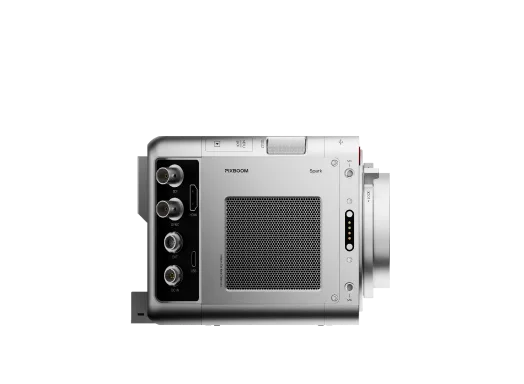
PIXBOOM Cine is a professional software tool designed for handling PXBC files captured by the PIXBOOM SPARK camera. It combines media ingestion, review, trimming, and format conversion into a single streamlined workflow, enabling users to efficiently prepare footage for post-production.
With PIXBOOM Cine, users can easily import PXBC footage, trim clips, and export them to standard CinemaDNG sequences or other formats.
The current public release supports 64-bit operating systems only.
Supported operating systems include:
macOS: macOS 13 Ventura or later
Windows: Windows 10 and Windows 11 (64-bit only)
The macOS version supports both Intel and Apple Silicon Macs.
Minimum Requirements
To ensure the software can launch, preview, and perform export tasks properly, the system should meet the following minimum requirements:
Recommended Configuration
For a more stable preview experience and higher export performance, the following configuration is recommended:
Compatibility Notes
Software performance may be affected by factors including:
In environments where:
you may encounter issues such as:
Feature availability and performance in the current version may vary depending on platform environment, hardware configuration, graphics drivers, codec environment, and media specifications.
For workflows involving high-resolution media, long-duration exports, or batch processing, it is strongly recommended to validate performance on the target deployment system before production use.
Updates
What’s New
The following functions are included in this version:
Import & Queue Management
Playback & Review
Image Adjustment & Preview
PIXBOOM Cine is designed to deliver a reliable, efficient, and professional workflow for creators—whether quickly reviewing footage or preparing assets for advanced post-production.
ProRes export is currently primarily supported on macOS, based on system APIs.
The current public release supports 64-bit operating systems only.
Supported operating systems include:
macOS: macOS 13 Ventura or later
Windows: Windows 10 and Windows 11 (64-bit only)
The macOS version supports both Intel and Apple Silicon Macs.
Minimum Requirements
To ensure the software can launch, preview, and perform export tasks properly, the system should meet the following minimum requirements:
Recommended Configuration
For a more stable preview experience and higher export performance, the following configuration is recommended:
Compatibility Notes
Software performance may be affected by factors including:
In environments where:
you may encounter issues such as:
Feature availability and performance in the current version may vary depending on platform environment, hardware configuration, graphics drivers, codec environment, and media specifications.
For workflows involving high-resolution media, long-duration exports, or batch processing, it is strongly recommended to validate performance on the target deployment system before production use.
Updates
What’s New
The following functions are included in this version:
Import & Queue Management
Playback & Review
Image Adjustment & Preview
PIXBOOM Cine is designed to deliver a reliable, efficient, and professional workflow for creators—whether quickly reviewing footage or preparing assets for advanced post-production.
ProRes export is currently primarily supported on macOS, based on system APIs.


Pixboom Pro Card 2.5TB is optimized for Pixboom Spark high-speed recording.
Important Notes

Connect directly to Spark over Wi-Fi to monitor camera status, adjust settings, control recording, and review clips from a phone, tablet, or computer.
Your cart is empty


