

Pixboom Cine
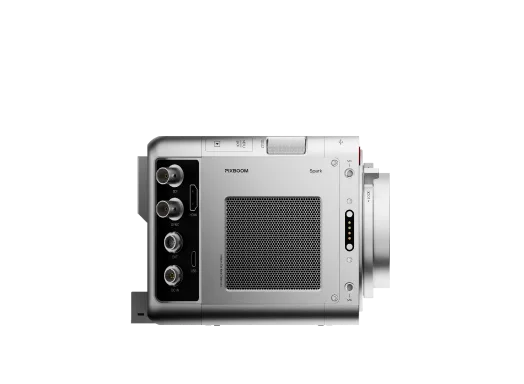
PIXBOOM Cine is a professional software tool designed for handling PXBC files captured by the PIXBOOM SPARK camera. It combines media ingestion, review, trimming, and format conversion into a single streamlined workflow, enabling users to efficiently prepare footage for post-production.
With PIXBOOM Cine, users can easily import PXBC footage, trim clips, and export them to standard CinemaDNG sequences or other formats.
Updates
- A redesigned workflow for greater efficiency: Create multiple versions from the same source, with clearer import and export management, independent clip settings, flexible playback, and streamlined batch operations.
- More customizable export options for different quality, file-size, and post-production needs: Expanded H.264, H.265, and ProRes settings, along with more resolution, frame-rate, and frame-fitting options.
- Playback Speed Control: Adjust playback speed for both preview and export to create your desired result more efficiently.
- An improved desktop experience and greater stability: Enhanced window management, file access, decoding, caching, and overall reliability on Windows and macOS.
Earlier version
V0.3.5
2026-07-28
+
−
What’s New
- Preview and export footage with horizontal or vertical desqueeze, making it easier to work with anamorphic lens material.
- Better stability for 4K+ and desqueezed video exports, reducing the chance of stalled exports or abnormal output files.
- Original resolution is now shown more clearly, with improved format guidance for large-size video exports.
- When multiple files fail during export, the error summary can now be fully viewed and scrolled for easier troubleshooting.
- Reduced pink / magenta artifacts that could appear around bright highlights or high-contrast edges.
- Improved export progress, completion messages, dropdown behavior, and window layout stability.
Earlier version
V0.3.4.3
2026-05-08
+
−
The following functions are included in this version:
Import & Queue Management
- Batch import of PXBC files
- Export queue system for batch processing
Playback & Review
- Display of detailed shooting information and metadata
- Adjustable playback
- FPS Frame-by-frame forward and backward playback (via left and right arrow keys)
- Reverse playback
Image Adjustment & Preview
- Controls for brightness, contrast, and color adjustments
- Exported CinemaDNG files remain untouched to preserve original data integrity
PIXBOOM Cine is designed to deliver a reliable, efficient, and professional workflow for creators—whether quickly reviewing footage or preparing assets for advanced post-production.
ProRes export is currently primarily supported on macOS, based on system APIs.
System Requirements + −
The current public release supports 64-bit operating systems only.
Supported operating systems include:
macOS: macOS 13 Ventura or later
Windows: Windows 10 and Windows 11 (64-bit only)
The macOS version supports both Intel and Apple Silicon Macs.
Minimum Requirements
To ensure the software can launch, preview, and perform export tasks properly, the system should meet the following minimum requirements:
- 64-bit processor
- Available hardware graphics acceleration
- 8 GB RAM
- Adequate local storage space for media access, caching, exported files, and log writing
Recommended Configuration
For a more stable preview experience and higher export performance, the following configuration is recommended:
- High-performance multi-core processor
- 16 GB RAM. For high-resolution media, long-duration previews, or batch export tasks, 32 GB or more is recommended
- Dedicated GPU, or a modern integrated GPU with high graphics performance
- High-speed SSD for export directories
- On Windows, please use the latest stable GPU drivers
Compatibility Notes
Software performance may be affected by factors including:
- Operating system version
- GPU model and driver version
- Graphics API support
- Media specifications
In environments where:
- Graphics drivers are outdated
- Hardware acceleration is limited
- Graphics API support is incomplete
- The software is running in virtual machines or remote desktop environments
you may encounter issues such as:
- Failure to launch
- Preview anomalies
- Reduced rendering performance
- Decreased export stability
Feature availability and performance in the current version may vary depending on platform environment, hardware configuration, graphics drivers, codec environment, and media specifications.
For workflows involving high-resolution media, long-duration exports, or batch processing, it is strongly recommended to validate performance on the target deployment system before production use.